



Why human review remains part of the work
The September 2026 UiPath announcement describes reusable routines alongside human control of judgement and final sign-off. That balance is a useful starting point for email: automate preparation while keeping promises and exceptions visible to the team.
Human-in-the-loop means a person participates at a defined stage. It should be specific enough that everyone knows what the person is checking. If the instruction is only “review the AI,” staff may skim wording while missing a wrong price, an incorrect customer or an unsupported commitment.
Define the decision first. A reviewer might confirm that a reply uses the approved policy, that the recipient is correct and that a proposed delivery date came from a current record. A named decision is easier to train and test.
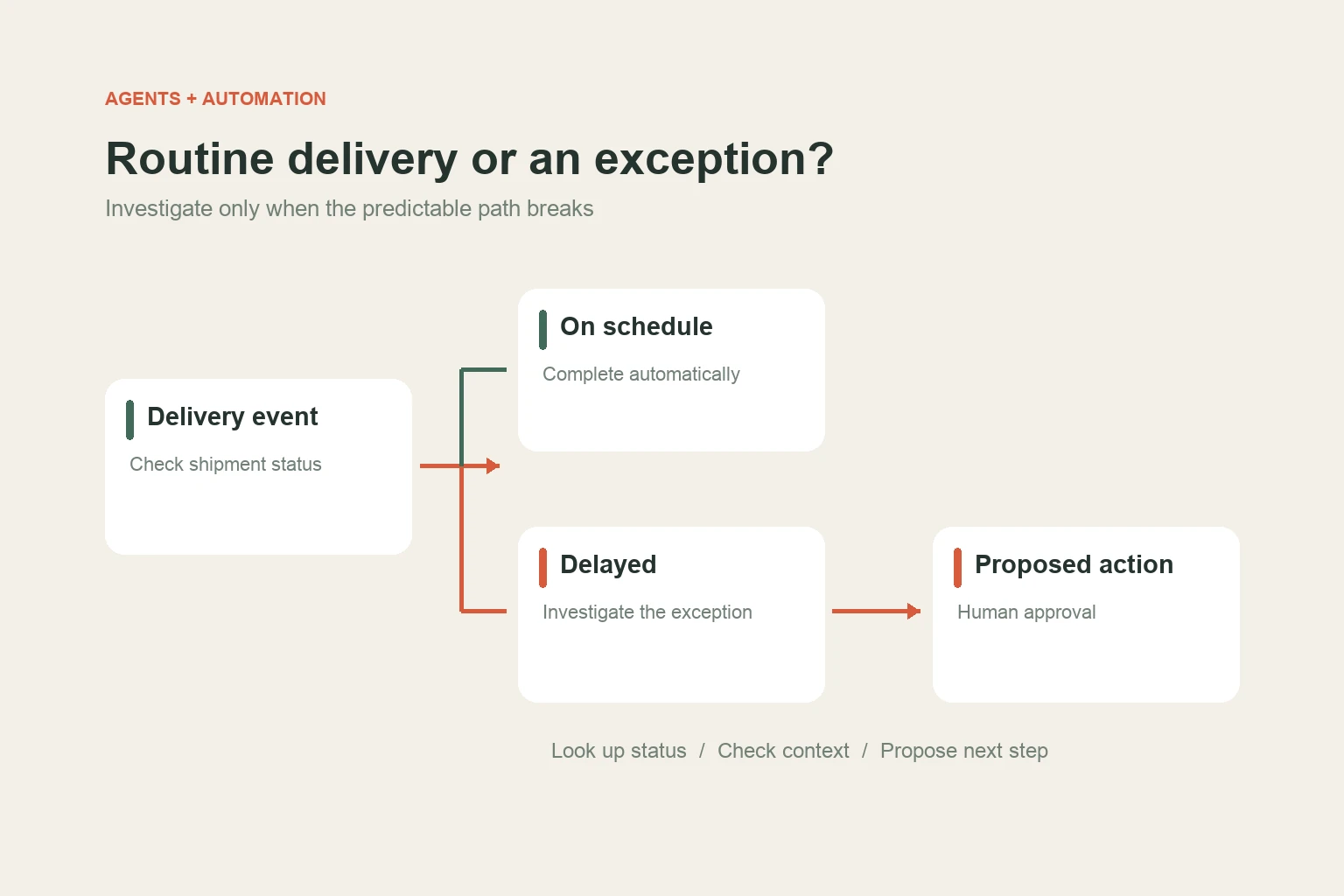
Choose the approval point by consequence
This is a suggested starting design. The right boundary depends on your process and the consequences of an error. A low-risk categorisation step may still need spot checks if it determines whether a customer receives attention.
Show evidence, not only a draft
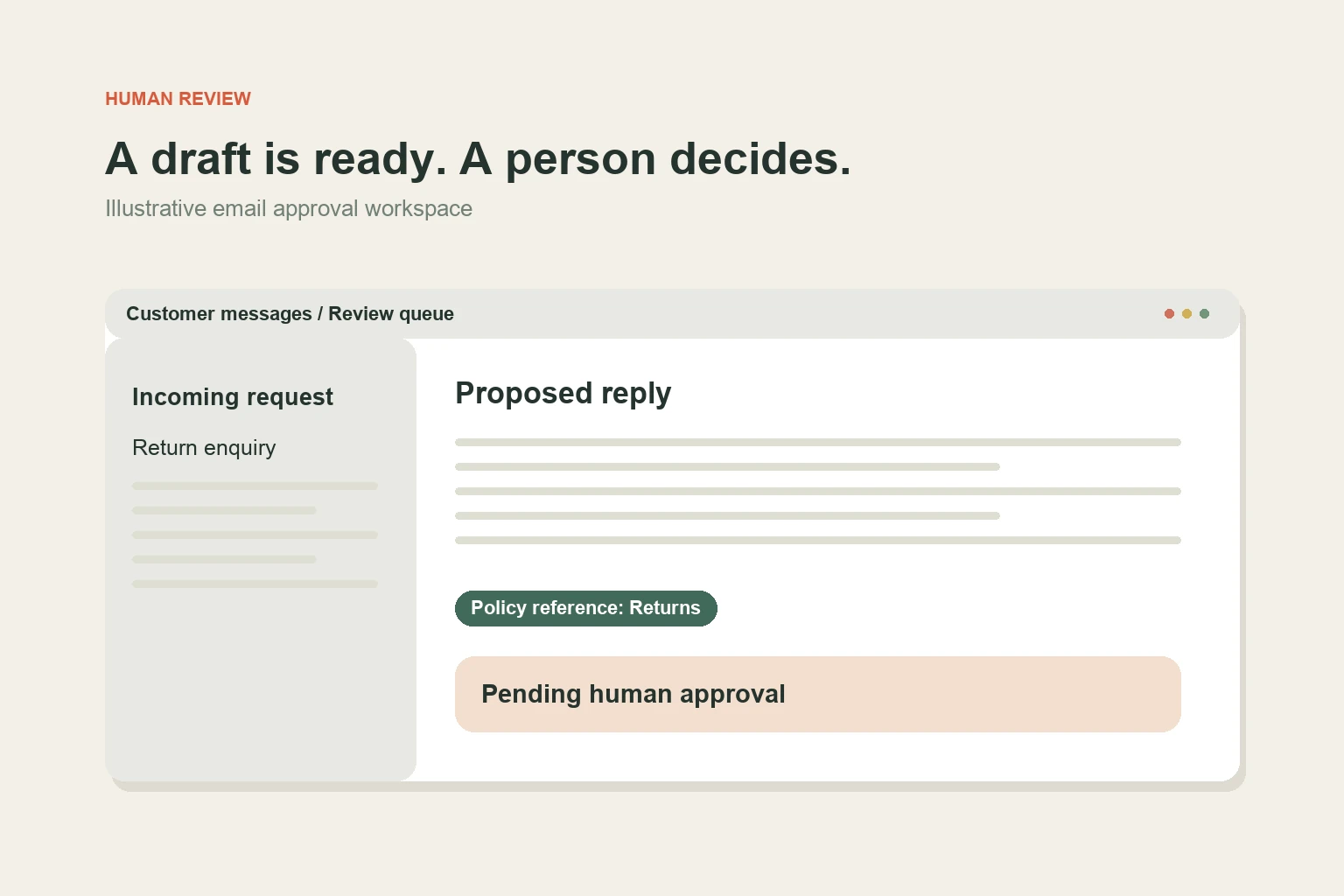
A useful review screen brings together the original message, the proposed reply, the source used and any uncertainty. If the model could not find an answer, the screen should say so. It should not hide that gap behind confident wording.
For an illustrative service inbox, the workflow could find an approved returns policy, propose a draft and flag that the customer has not supplied an order number. The reviewer can ask for the missing number without opening several tabs. The system saves the chosen reply and who approved it.
Keep external message content separate from your workflow’s instructions. A customer email is data to interpret. Instructions embedded in that email should not become authority to reveal other records or take extra actions.
Use a simple escalation label such as “policy unclear,” “record missing” or “commitment needs approval.” That gives the team a useful reason to act and creates a record of where the system still needs improvement.
Make review sustainable for the team
Microsoft’s 2026 Work Trend Index highlights how organisational practices influence AI use. For an email workflow, the practical implication is to train the team on the decision and give them a route to report poor outputs. Tool access alone does not establish a reliable habit.
Assign cases to the role that owns the answer. Sending every approval to the owner may create a new bottleneck. A trained team member can handle ordinary enquiries while an agreed escalation route deals with exceptions.
- Make approve, edit, reject and escalate distinct actions.
- Record corrections so recurring weaknesses are visible.
- Show when a draft or source record has become stale.
- Avoid sending automatically when the assigned reviewer is unavailable.
- Keep a manual reply route that works during an outage.
Review a sample of accepted drafts as well as rejected ones. Otherwise, your quality data may contain only the obvious mistakes and miss cases that were approved too quickly.
What success should look like
Measure the complete enquiry outcome: response time, correction time, avoidable follow-up and whether the right person handled the case. Track unanswered escalations separately. A growing review queue is not a successful automation just because drafts are being produced quickly.
Before widening the scope, test ambiguous requests, unavailable source records, duplicate messages and a change to the approved policy. These cases show whether your approval step still supports a sound decision.
For more on choosing the right design, read AI agents versus workflow automation. Start with one inbox route, make its decision visible, and improve it using the team’s actual corrections.
Sources and further reading
Primary sources checked on 3 October 2026. Product announcements describe vendor plans and capabilities; availability and results depend on the implementation.
- UiPath platform update
23 September 2026 - Microsoft: 2026 Work Trend Index
5 May 2026