




Why document automation is changing
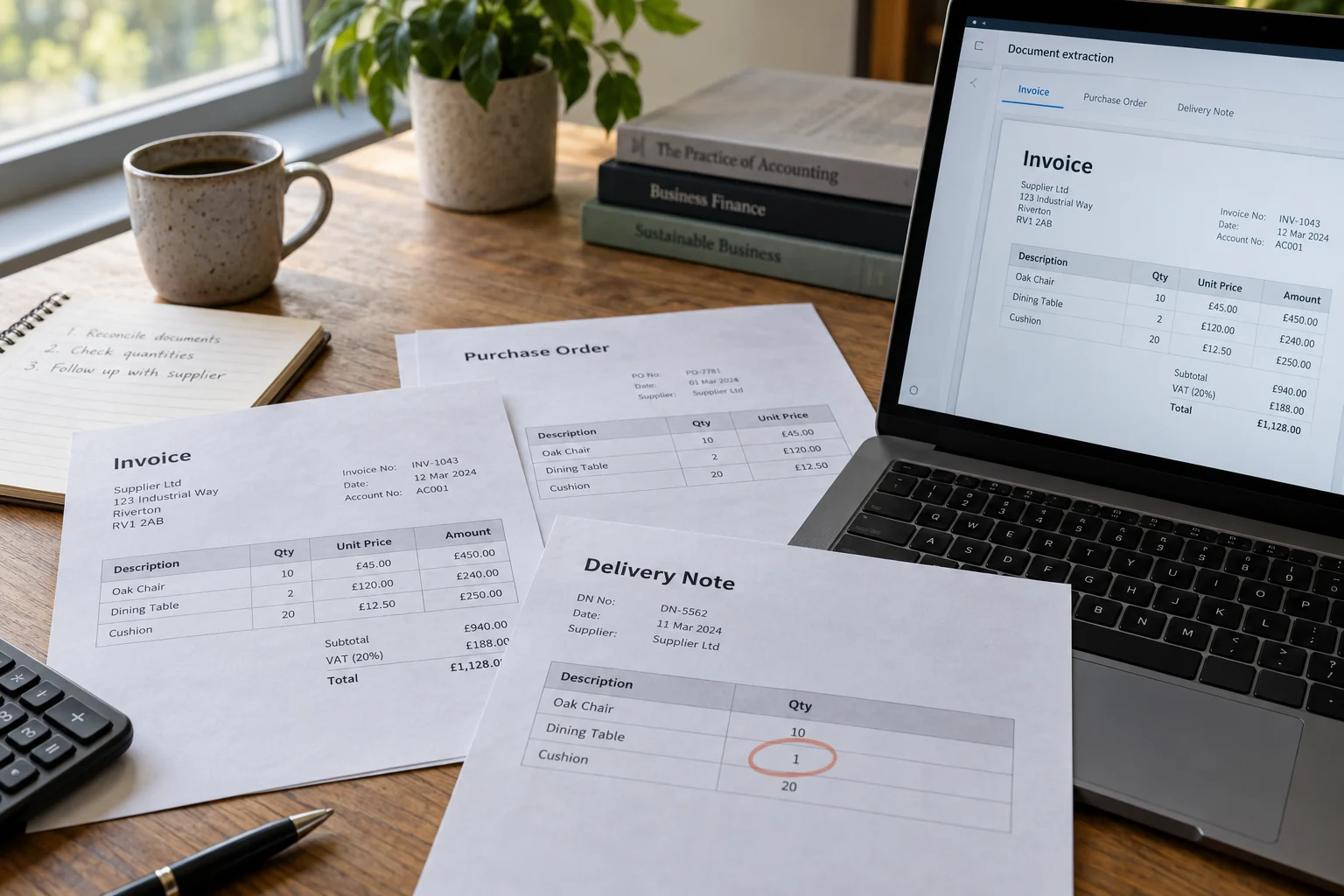
Document tools increasingly return structured fields rather than just recognised text. Microsoft’s Document Intelligence invoice documentation describes extracting invoice information and line items from inputs such as PDFs and scanned images. That gives a workflow something to validate; it does not establish that the source document is correct.
UiPath’s 23 September 2026 platform update also describes coding-agent support for setting up document extraction projects, with a person setting the quality bar and approving the outcome. The practical direction is clear: faster setup still needs a reviewable process.
For a smaller business, the opportunity is usually less retyping and a shorter queue. The starting point should be a well-defined document route, not an instruction to let AI handle all supplier paperwork.
Separate reading, checking and approving
Reading identifies the supplier, document number, dates, totals and other requested fields. Checking asks whether the proposed record is complete and consistent with your own records. Approving decides whether the business accepts the invoice and what should happen next. These stages need different controls.
This is an illustrative workflow design, not accounting or tax advice. Keep your existing financial approval and payment controls. Automation should make those controls easier to follow rather than silently replacing them.
Handle the awkward cases first
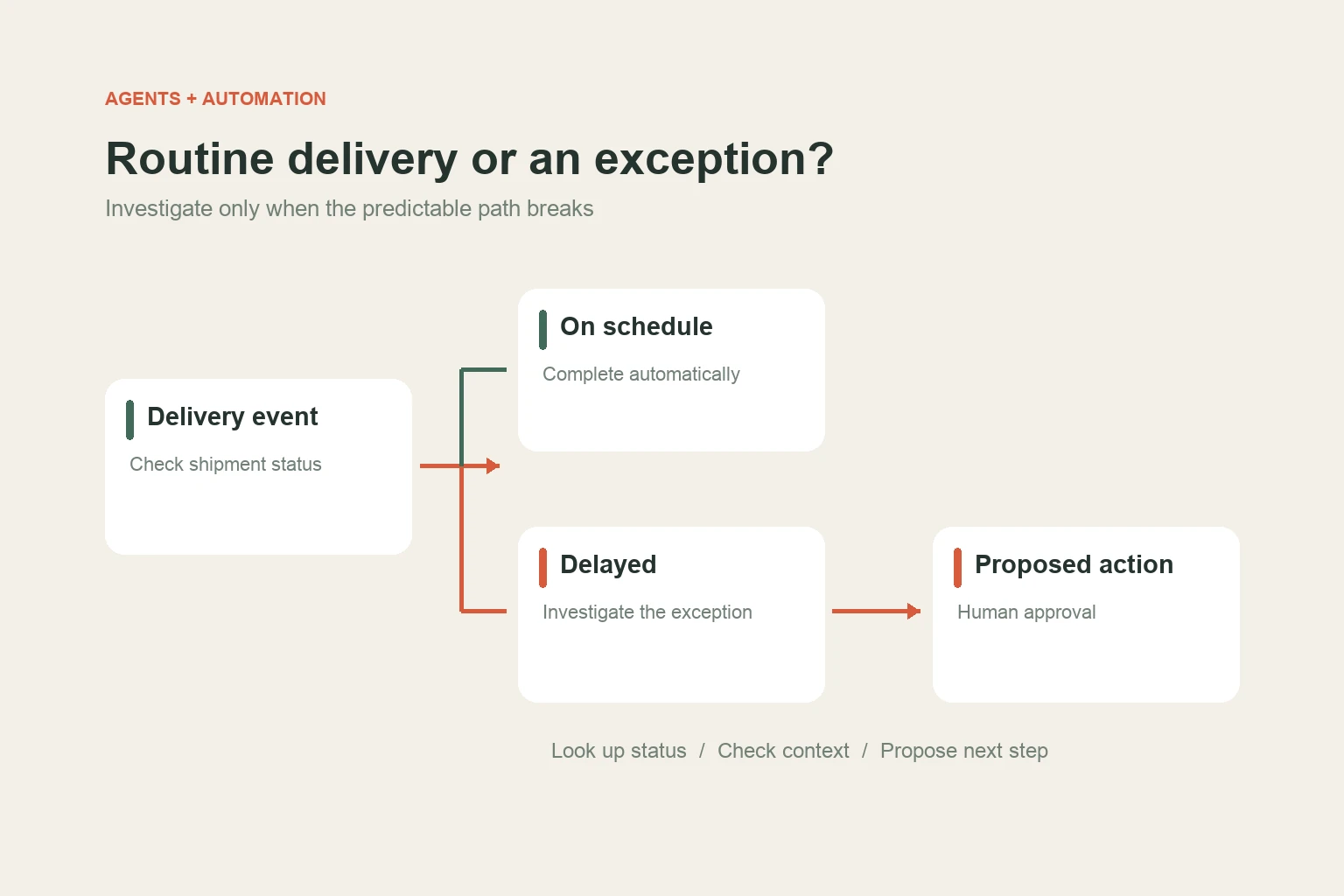
A clean PDF from a familiar supplier makes a reassuring demo. Your test set should also include a poor scan, missing document number, credit note, mixed pages, a forwarded duplicate and a supplier name that differs from the master record.
Create a duplicate key from the fields your business actually uses to identify a document. A suggested starting point might combine the supplier record and invoice number, with a separate check for the source file. Confirm the rule with the person responsible for the records before using it to suppress a document.
A model confidence value is one input to review, not proof of correctness. A plausible total can be extracted from the wrong location. Preserve the original file and show the relevant evidence beside the proposed fields so a reviewer can work quickly.
Do not automatically accept a changed bank account from an invoice or email. Route unexpected changes through your established verification process. The extraction workflow should record the exception and keep the current approved master data intact.
Make retries safe
Networks fail after a request has been sent. If your workflow simply retries “create invoice,” it may create a second record even though the first request succeeded. Define how the receiving system recognises the same approved document and how the workflow checks for an existing result.
- Give each case a stable internal reference.
- Save its status before and after each important operation.
- Check for an existing posted result before repeating a write.
- Keep failed cases in a visible queue with a reason and an owner.
- Allow a person to resolve a case without editing hidden technical state.
Test a timeout after the receiving system has accepted a record. Also test a rejected record and an interrupted approval. The useful result is predictable recovery, not merely a successful first run.
A small pilot with useful measures
Start with a limited supplier group and document type. Keep a baseline for the current process, then compare total handling time, field corrections, duplicate cases and the age of the unresolved queue. Count time spent on review and exception handling.
An illustrative acceptance sheet can list each field that must be correct, each exception that must be flagged and the evidence needed for approval. Agree that sheet before the trial so the goal does not change after a strong-looking demonstration.
If most effort is in matching records rather than reading the document, improve the connection to your existing software first. Our system integration service starts with the records and handoffs that the business needs to trust.
Sources and further reading
Primary sources checked on 3 October 2026. Product announcements describe vendor plans and capabilities; availability and results depend on the implementation.
- Microsoft Learn: Document Intelligence invoice model
Documentation checked 3 October 2026 - UiPath platform update
23 September 2026